
When is Zeroed Sector Data Recovery Impossible After Format?
Published 2026-11-29 | JiWang Data Recovery Technical Team
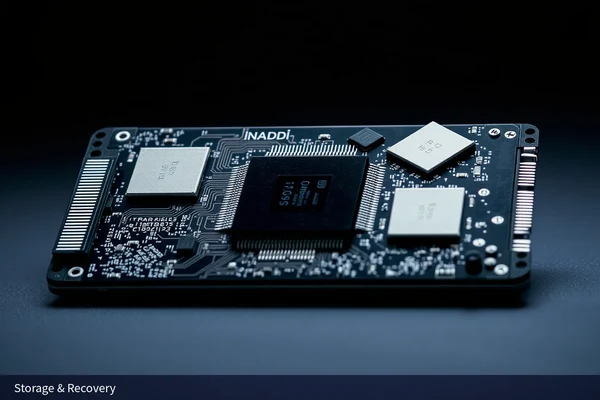
Recovery becomes impossible when sectors are overwritten with zeroes and no alternative versions exist because the physical NAND cells have been actively erased via TRIM and garbage collection. Unlike simple deletion, this process resets the voltage states of the memory cells to a neutral 'erased' state. Without a previous metadata snapshot or backup, the file system structure and file content are permanently destroyed at the hardware level, leaving no residual data for forensic reconstruction. Immediate physical isolation of the drive is critical; do not write to it or run standard OS-level scans. If the controller has already executed a full TRIM cycle on zero-filled sectors, professional hardware-level intervention is the only option, and even then, success is not guaranteed if the NAND has been fully re-erased.
Key Takeaway: Once NAND cells are reset to the 'erased' state by TRIM, the original electron charges representing your data are physically gone. No software can reconstruct what no longer exists in the memory cells.
Controller Logic: SM2320G and the Speed of Erasure
Modern external SSDs, such as those using the Silicon Motion SM2320G controller, operate with a full SSD architecture including a Flash Translation Layer (FTL), dynamic wear leveling, and aggressive garbage collection. When a user formats a drive and subsequently fills it with zeroes, the operating system issues a TRIM command. This command informs the SSD which blocks are no longer needed, marking them as candidates for immediate erasure.
Unlike traditional USB flash drives where deleted data often remains physically stored until overwritten, SSDs based on the SM2320G begin cleanup and data reallocation processes almost immediately. The controller prioritizes performance and cell longevity by erasing these blocks in the background. Consequently, recovery success depends not only on the type of formatting performed but also on the state of the translation tables, TRIM activity, the time elapsed since the incident, and the controller’s internal operating logic. If the garbage collection process has already completed the erase cycle on the zero-filled sectors, the data is irretrievable.
Recovery Workflow: Rebuilding Translators from Raw NAND
In professional data recovery scenarios involving formatted drives, engineers use specialized tools like the PC-3000 Portable PRO to bypass standard OS-level limitations. The workflow involves several critical steps to attempt reconstruction before declaring total loss:
- Connect and Verify: Connect the formatted SSD to the recovery hardware via USB. Use utilities like Universal USB Utility to verify that standard raw recovery scans return no data, confirming the format and TRIM execution.
- Load Controller-Specific Loader: Switch to the specialized utility for the specific controller (e.g., SM2320G). Load the appropriate loader and rebuild the translator (FTL). This step is crucial for mapping the physical NAND pages to logical addresses.
- Create Physical Access Disk: Generate a disk image with physical access enabled. This allows the software to read all non-empty sectors on the drive, including fragments of old data that may not have been garbage collected yet.
- Reconstruct Metadata Versions: Create a virtual disk based on the physical-access drive. Use the "Selection Versions for Metadata" feature to identify and apply the appropriate file system versions from before the formatting event. This algorithm attempts to reconstruct the last valid version of the file system.
- Integrity Check: Enable "Headers Control" to verify file integrity. If files are marked with a red indicator, it signifies that the sectors are filled with zeroes and contain no alternative versions.
When to Give Up: Identifying Irreversible Data Loss
Despite advanced reconstruction techniques, there are clear boundaries where recovery is technically impossible. The critical indicator is the status of the file sectors after the metadata reconstruction phase. If a file is marked as "RED" during the integrity check, it means the specific sectors containing the file data are filled with zeroes and contain no alternative versions.
This state confirms that the NAND cells have been fully re-erased. Since SSDs store data as electrical charges in floating-gate transistors, an "erased" state means the charge has been removed. Without residual charge or alternative metadata snapshots, there is no physical evidence of the original data to recover. In such cases, the recovery of these files becomes impossible.
| Post-Format Action | TRIM/GC Status | Data State | Recovery Feasibility |
|---|---|---|---|
| Quick Format Only | Inactive or Delayed | Deleted pointers, data intact | High: Metadata reconstruction usually succeeds. |
| Format + File Copy (Non-Zero) | Active | Data overwritten by new files | Low: Original data likely garbage collected. |
| Format + Fill with Zeroes | Active & Complete | Cells reset to 'Erased' state | Impossible: No residual charge remains. |
| Format + No Action | Inactive | Data intact, pointers removed | High: Raw scan can recover files. |

Related Reading
- When is Bare Metal Recovery Impossible on Windows Server 2003?
- Bad Sector Error: Is Remote Data Recovery Safe?
- When to Use Non-Zero File Size for SSD Metadata Recovery
Frequently Asked Questions
Can data be recovered if I formatted the drive and then filled it with zero bytes?
No, recovery is generally impossible if you formatted the drive and then filled it with zero bytes. This action triggers the TRIM command, which instructs the SSD controller to physically erase the NAND cells containing your original data. Once the cells are reset to their neutral 'erased' state, the original electron charges are gone, leaving no residual data for forensic reconstruction.
Does TRIM command immediately erase data on SSDs like it does on HDDs?
Yes, but with a critical difference: TRIM marks blocks for erasure, and the SSD's garbage collection process physically erases them in the background. Unlike HDDs where magnetic states remain until overwritten, SSDs actively remove the electrical charge from NAND cells to maintain performance and cell longevity. This process can happen almost immediately after a format or delete operation, making the data unrecoverable much faster than on magnetic media.
Is it possible to recover files if the SSD controller has already performed garbage collection?
It is highly unlikely if the garbage collection has completed the erase cycle on the specific sectors you need. Garbage collection moves valid data to new blocks and erases old ones. If the controller has already erased the old blocks (especially if they were zero-filled), the data is physically destroyed. Recovery is only possible if you act before garbage collection completes and can reconstruct the file system metadata from remaining non-erased NAND pages.