
Why Apple AHCI SSDs Fail NVMe Protocol in PC-3000 Recovery
Published 2026-11-24 | JiWang Data Recovery Technical Team
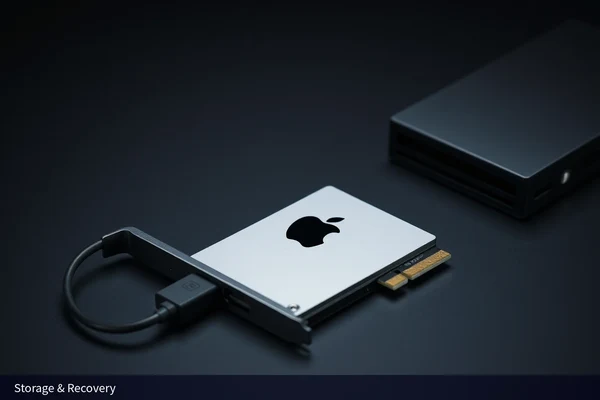
Accessing an Apple AHCI PCIe SSD via the standard NVMe protocol in PC-3000 is impossible because pre-2016 Apple drives (e.g., SM0256G) use the AHCI protocol over the PCIe bus, not true NVMe. These drives expose ATA registers and commands, causing detection failure if the interface is misconfigured as NVMe. Successful recovery requires manually selecting the PCIe AHCI connection type in the software and using a specialized Apple Macbook SSD adapter to bypass protocol incompatibility.
Key Takeaway: Apple drives manufactured before 2016 use AHCI over PCIe, not NVMe. You must manually configure PC-3000 for PCIe AHCI and use specific hardware adapters to access data, as standard NVMe detection will fail.
Protocol Mismatch: AHCI vs. NVMe on Pre-2016 Apple Drives
The core issue lies in the historical transition of Apple’s storage interfaces. All Apple PCIe-based SSD drives in MacBook Pro, Air, and Mini models released between 2013 and 2015 utilize the AHCI data transfer protocol. Although these drives connect via the PCIe bus, they retain legacy ATA commands, distinguishing them from true NVMe devices. Apple only switched to native NVMe for its SSDs starting in 2016 with later MacBook Air 2017 and iMac models.
When you connect a pre-2016 drive, such as the Samsung-based SM0256G from a 2015 MacBook Pro 13, to PC-3000 Portable III/PRO, the software expects NVMe-specific communication. If you attempt to use the standard NVMe protocol, the drive will not be detected at all. This is because the drive is broadcasting ATA registers, which are typical for PATA and SATA drives, not PCIe-based SSDs. The drive will power on and enter a Ready State (DRD and DSC indicators), but any attempt to read the ID or sectors via NVMe will fail immediately. This behavior confirms that the drive is operating under the older AHCI specification, requiring a different communication layer to interact with its internal firmware.
Hardware and Software Configuration for Recovery
To recover data from these drives, you must bypass the standard NVMe detection path by configuring both the hardware connection and the PC-3000 software interface correctly. First, you need a specialized PCIe NVMe/AHCI Adapter for Apple Macbook SSD. This hardware bridge is essential to translate the physical connection into a format the PC-3000 can interpret as AHCI.
Once connected, you must manually select the PCIe AHCI connection type within the PC-3000 Portable PRO interface. Do not rely on auto-detection. Upon launching the interface, you will observe common ATA registers, confirming the drive is exposing legacy commands. If the drive’s firmware is intact, it will show a Ready State. However, if the service area or translator blocks are corrupted, the drive will enter a BSY (Busy) state as soon as you attempt to read the Passport ID or any sector. This BSY state is the primary obstacle in recovery, as it prevents standard ID reads and sector mapping.
| Apple SSD Generation | Interface Protocol | Year Introduced | PC-3000 Connection Requirement |
|---|---|---|---|
| Pre-2016 (e.g., 2015 MacBook Pro) | AHCI over PCIe | 2013-2015 | Manual PCIe AHCI Selection + Special Adapter |
| Post-2016 (e.g., 2017 MacBook Air) | NVMe | 2016+ | Standard NVMe Protocol |
The solution involves creating a new task in the Data Extractor (DE) based on Port 0, removing all checkboxes including 'Read Drive ID', and preparing a data copy task. You must manually calculate the Logical Block Address (LBA) count by multiplying the drive capacity in GB by 1024 twice, then by 2. For a 256 GB drive, this equals 536,870,912 LBAs. This manual entry allows the software to generate a MAP without triggering the drive’s ID read failure.
Handling BSY States: Workarounds for Corrupted Service Areas
When the drive enters a BSY state after any command, such as reading the ID or specific LBAs, you must employ a specific workaround to force data extraction. The drive lacks sufficient time for full reinitialization, so you can exploit this window by restarting the drive while simultaneously updating the data in the LBA using CTRL+R. This forces the drive to start reading data before it attempts to validate the ID, allowing you to successfully read the Master Boot Record (LBA 0).
To maintain this state during bulk copying, you must adjust the Data Extractor settings. Remove 'Soft Reset' and 'Hard Reset' from the Error Handling options, leaving only 'Turn off/on drive’s power'. If the drive loses readiness, configure the same power cycling settings and keep the jump size equal to 1 LBA, while reducing the readiness timeouts. This ensures the PC-3000 power cycles the drive automatically whenever it freezes, keeping the copy process moving. Once the main partition metadata is read, you can build a map of used sectors based on HFS+/APFS information and force reading only those areas. For damaged sectors, apply intelligent heating to additional NAND chips (+80..+140°C) to reread data. This approach applies to any unsupported drive that remains in a BSY state, provided you have the correct adapter and direct connection to PC-3000 Portable III/PRO.
Related Reading
- NVR Format Prompt: Why It Appears and How to Safely Assess Recovery
- Why Data Recovery Time Depends on Device Health, Not File Size
- Why iPhone 5 Data Recovery Costs Vary by Failure Type
Frequently Asked Questions
Which Apple SSD models use AHCI instead of NVMe?
All Apple PCIe-based SSD drives in MacBook Pro, Air, and Mini models released between 2013 and 2015 use the AHCI protocol. Examples include the SM0256G from a 2015 MacBook Pro 13. Apple switched to native NVMe for SSDs only in 2016, so later models like the 2017 MacBook Air and 2017-2019 iMacs use NVMe.
How do I manually configure PC-3000 for Apple PCIe AHCI drives?
You must manually select the PCIe AHCI connection type in the PC-3000 Portable PRO interface. Do not use auto-detection or standard NVMe settings. Once connected, verify that the interface displays common ATA registers. If the drive is healthy, it will show a Ready State; if corrupted, it will enter a BSY state upon any command.
What adapter is required to connect Apple AHCI SSDs to PC-3000?
You need a specialized PCIe NVMe/AHCI Adapter for Apple Macbook SSD. This hardware bridge is required to translate the physical connection into a format the PC-3000 can interpret as AHCI. Without this specific adapter, the drive cannot be properly recognized or accessed by the PC-3000 Portable III/PRO.